Appearance
The Omaya mobile app
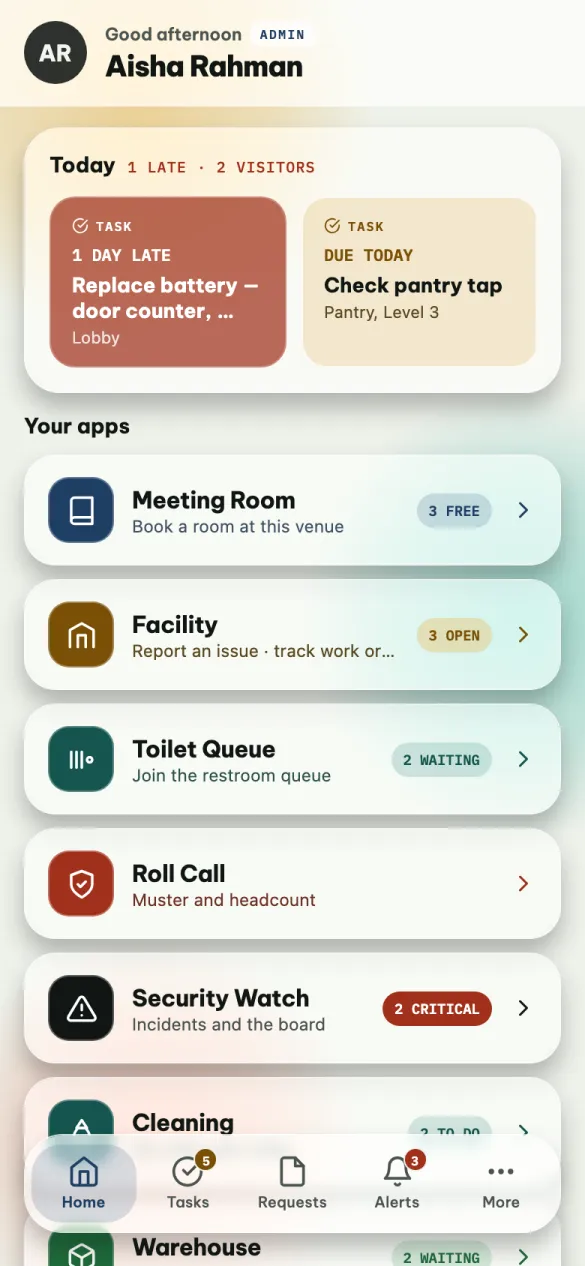
Omaya Mobile is the phone app for the people who work in the building: the technician with a list of jobs, the cleaner on their round, the guard on patrol, the receptionist expecting visitors, the operator on the warehouse floor — and the admin who wants to approve a request from the corridor instead of from a desk.
It is one app for everyone. What you see in it depends on your account and on which apps your organisation uses: two people on the same site can open it and see different things, and both are right.
What you can do with it
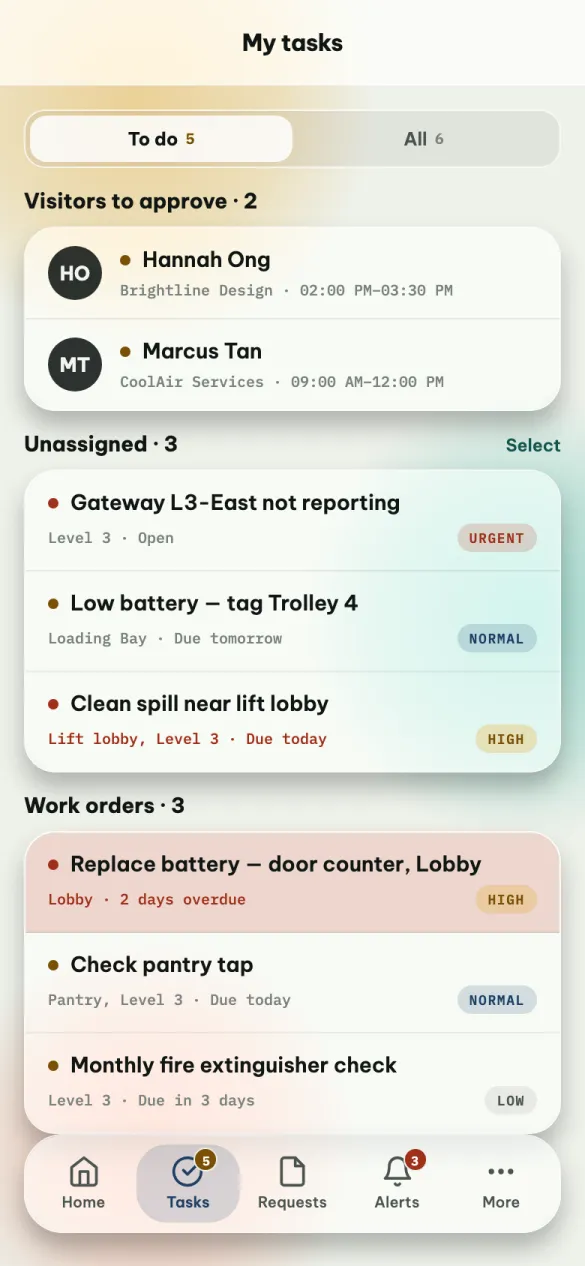
- Work your task list. Jobs assigned to you, with what is late and what is due today. Mark one done with a note and a photo, or add a remark when you are stuck.
- Report a problem. A leak, a broken light, a spill: a title, a few words, a photo, sent to the facility team.
- Approve things. Visitors waiting for your approval, and — for admins — facility requests.
- See alerts. A device that stopped reporting, a room that is too warm, an insight from OAIA, the AI assistant.
- Use your apps. Book a meeting room, join the toilet queue, run a fire drill, handle a security incident, do your cleaning round, receive and pick stock in the warehouse.
Where to start
| If you want to… | Read |
|---|---|
| Install the app and sign in | Getting started |
| Find your way around the five tabs | Home, Tasks, Requests, Alerts, More |
| Book a room, approve a visitor, join the toilet queue | Rooms, visitors and the queue |
| Report a problem, or do a cleaning round | Facility and Cleaning |
| Handle a security incident, or run a fire drill | Security Watch and Roll Call |
| Receive, pick, count and move stock | Warehouse |
| Keep your tag working outdoors, with Omaya Scout | Omaya Scout |
| Fix something that is not working | When something is not right |
Staff and admins
At Northwind TowerDanielTechnicianAishaFacilities Manager
There are two kinds of account, and you do not choose between them — your organisation decides when it creates your account.
| Staff | Admin | |
|---|---|---|
| Who | Cleaners, guards, technicians, receptionists, operators | The people who run the site |
| Badge on Home | STAFF | ADMIN |
| Apps | The ones you have been given | Every app your organisation has |
| Requests | Report them, and follow them | Also approve or reject them |
| Unassigned work | — | See it, assign it, dismiss it |
| Alerts | Hide them on your phone | Acknowledge them for everyone |
Everything else is the same app, on the same screens.
Good to know before you start
Notifications do not reach your phone yet
The app asks for permission to send notifications, but notifications are not being delivered yet. Until they are, the app tells you about new things only while it is open: the red number on Alerts and the amber number on Tasks. Open the app at the start of your shift, and check it during the day.
- Android only, for now. The iPhone version is not available yet.
- English only. There is no language setting.
- You need a connection. Without one the app shows what it loaded earlier, but nothing you do is sent until you are back online — try again then.
For the admin setting this up
People sign in with an app user account (Apps → App Users in the web admin) or with their admin account. Which apps a staff member sees comes from the apps they are granted there; an app your organisation has not switched on does not appear for anybody. The visitor app — the web page visitors open from a QR code — is a different thing, covered in Mobile App Management. So is Omaya Scout, a second, separate app that keeps a person's tag working outdoors; it has no account at all.