Appearance
Facility and Cleaning
Facility
At Northwind TowerDanielTechnicianMei LingReceptionistJasonAccount ManagerAishaFacilities Manager
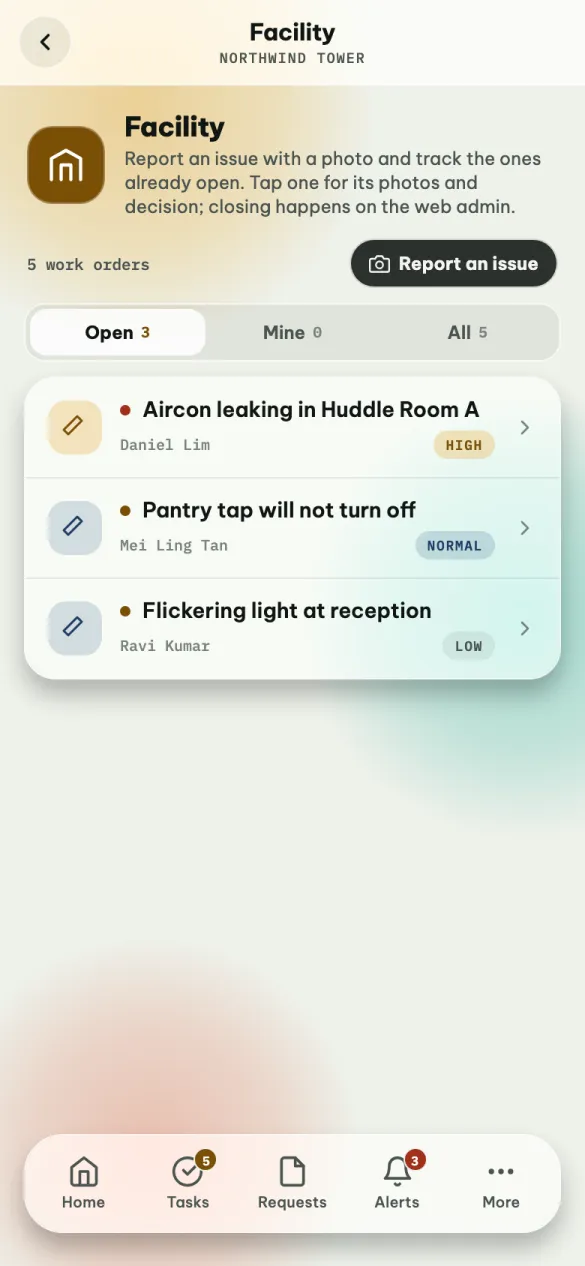
Problems reported at your venue, and the place to report a new one.
| Tab | What is on it |
|---|---|
| Open | Problems still waiting for a decision |
| Mine | Problems you reported |
| All | Everything, with its status |
Tap one to read it — the same screen as on the Requests tab, where admins can approve or reject it.
Report a problem
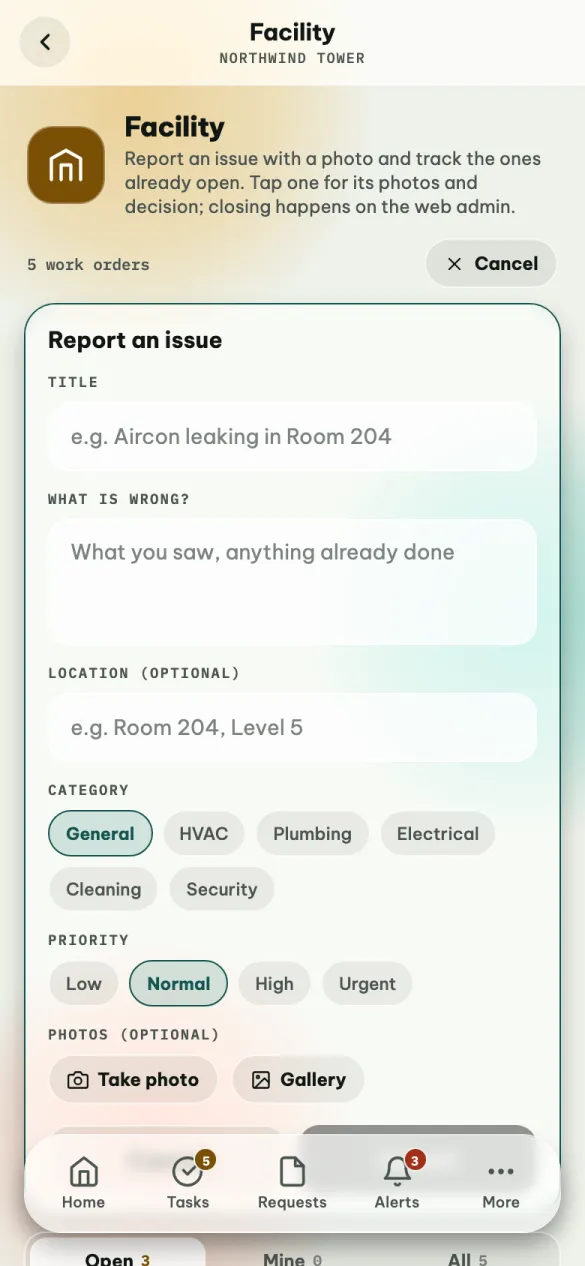
Tap Report an issue (or + on the Requests tab).
| Field | |
|---|---|
| Title | Required. Say what and where in a few words: Aircon leaking in Room 204 |
| What is wrong? | Required. What you saw, and anything already done about it |
| Location | Optional, but it helps: Room 204, Level 5 |
| Category | General, HVAC, Plumbing, Electrical, Cleaning or Security |
| Priority | Low, Normal, High or Urgent. Keep Urgent for things that cannot wait: water on the floor, a door that will not lock |
| Photos | Up to five. Take photo uses the camera, Gallery picks one you already have. Tap × on a photo to remove it |
Tap Submit. The message at the bottom confirms it — Reported · Aircon leaking in Room 204 · 1 photo — and the problem appears under Mine, where you can follow its status as the facility team works on it.
Cleaning
At Northwind TowerSitiCleanerNurulCleanerRaviOperations Lead
The cleaning round for the day: your jobs, the jobs nobody has taken yet, which toilet needs someone next, and the schedule.
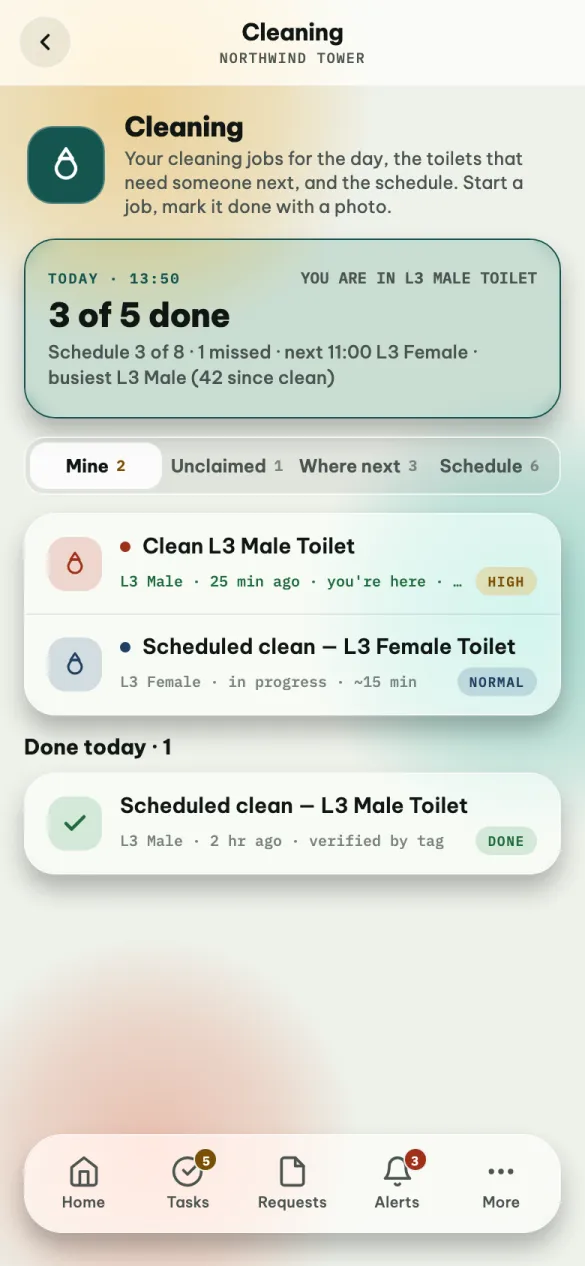
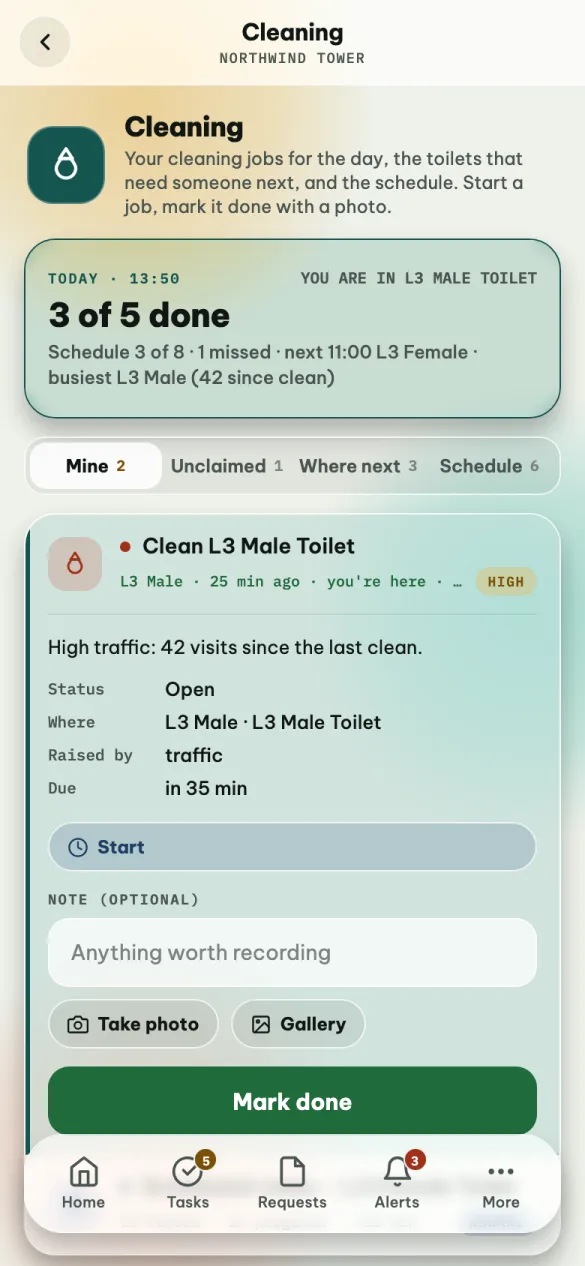
The card at the top is your day at a glance: how many jobs are done (3 of 5 done), how the schedule is going, the next scheduled clean, and the busiest toilet. You are in L3 Male Toilet means the system knows where your tag is.
Mine
Jobs assigned to you, and the ones you claimed. You're here in green means you are already at that toilet.
- Tap the job to open it, and tap Start when you begin. Your supervisor sees it as in progress.
- When you finish, write a note if there is something worth recording, and add photos (up to five) with Take photo or Gallery.
- Tap Mark done and confirm. If you did not attach a photo, the app reminds you that the schedule will show none for this clean.
Marking a job done tells the system the toilet is clean, so its "needs cleaning" score starts again from zero. It cannot be undone from the phone.
You can also swipe: to the right to start a job, to the left to open it ready to mark done.
Jobs you finished today are listed under Done today. Verified by tag means your tag confirmed you were there.
Unclaimed — walk there to claim
Jobs nobody holds yet. There is no claim button, on purpose: walk to the toilet and your tag claims the job for you. Each one says Go to L2 Male Toilet, or You're here once you arrive.
Where next
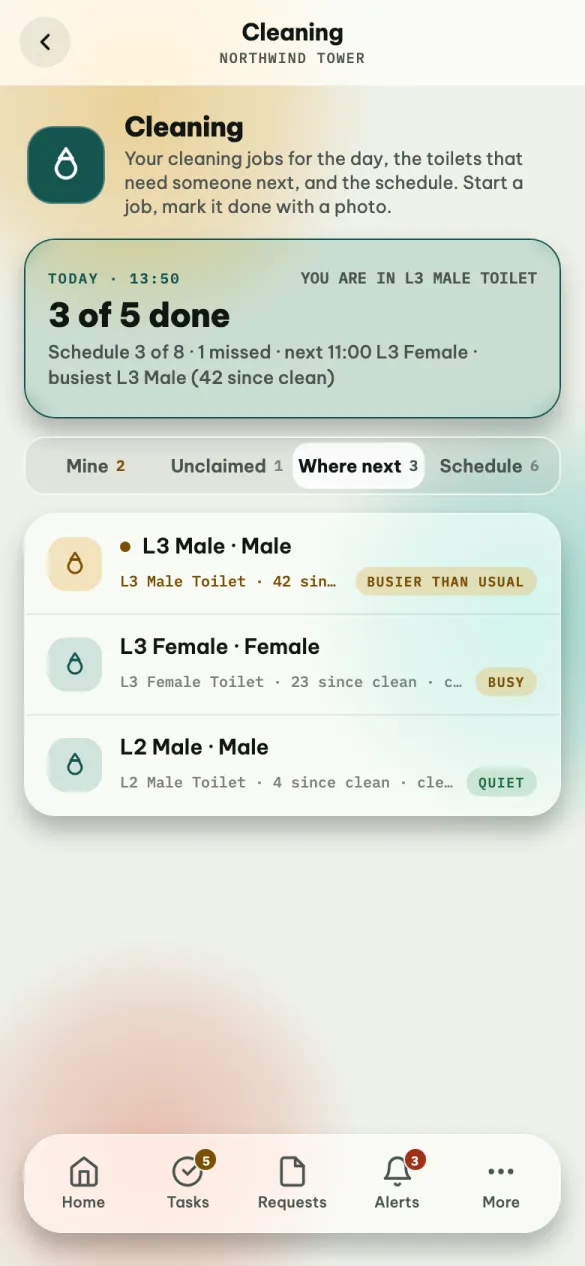
Every toilet, ranked by how much it needs cleaning — the one at the top is where to go next. Each shows how many visits since the last clean, when and by whom it was last cleaned, and how busy it is: Busier than usual, Busy or Quiet.
Schedule
Today's planned cleans, by time: Done (with how long it took), In progress, Upcoming, Missed, or Skipped — because a job for that toilet was already open, or because it had just been cleaned. Each slot also says the toilet, who has it, and how many photos were taken; ad hoc marks a job outside the schedule, and high traffic one raised because the toilet was busy.
The times come from the cleaning schedule set on the web, and they start at the schedule's From time: every 3 hours from 08:00 to 17:00 gives 08:00, 11:00, 14:00 and 17:00.
Team (supervisors)
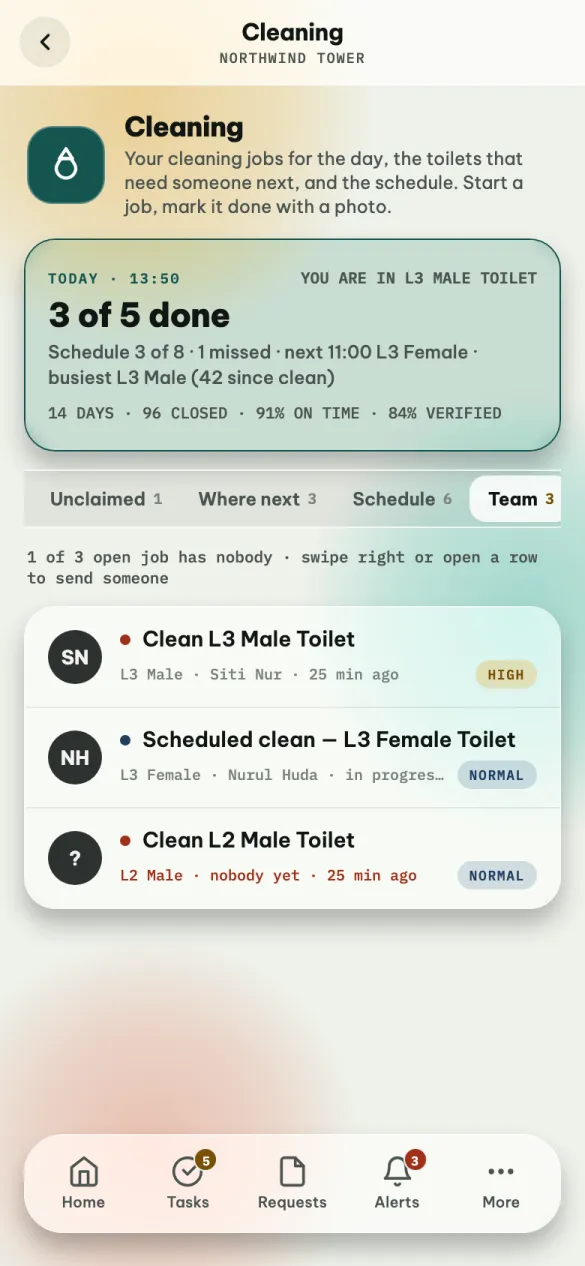
Supervisors and admins have a fifth tab, Team: every open cleaning job in the building and who holds it — nobody yet in red when no one does.
To send someone, open a job and tap Send someone… (or Reassign… if someone already has it), or swipe the job to the right. Pick a cleaner from the list: each one says whether they are on shift and have a tag, or are unavailable.
If something is not right
| You see | What it means |
|---|---|
| This account cannot be assigned work yet | Your account is not set up as a cleaner. Ask your supervisor. |
| Nobody holds this job yet — walk to the zone and your tag claims it. | Go to the toilet first. |
| This job is assigned to someone else. | A supervisor moved it. Pull down to refresh. |
| No toilets set up | The toilets have not been added on the web yet. |
This screen does not refresh by itself — pull down to see the latest.